Text → Image
Several images per prompt, in Speed or Quality mode.

for Grok Imagine
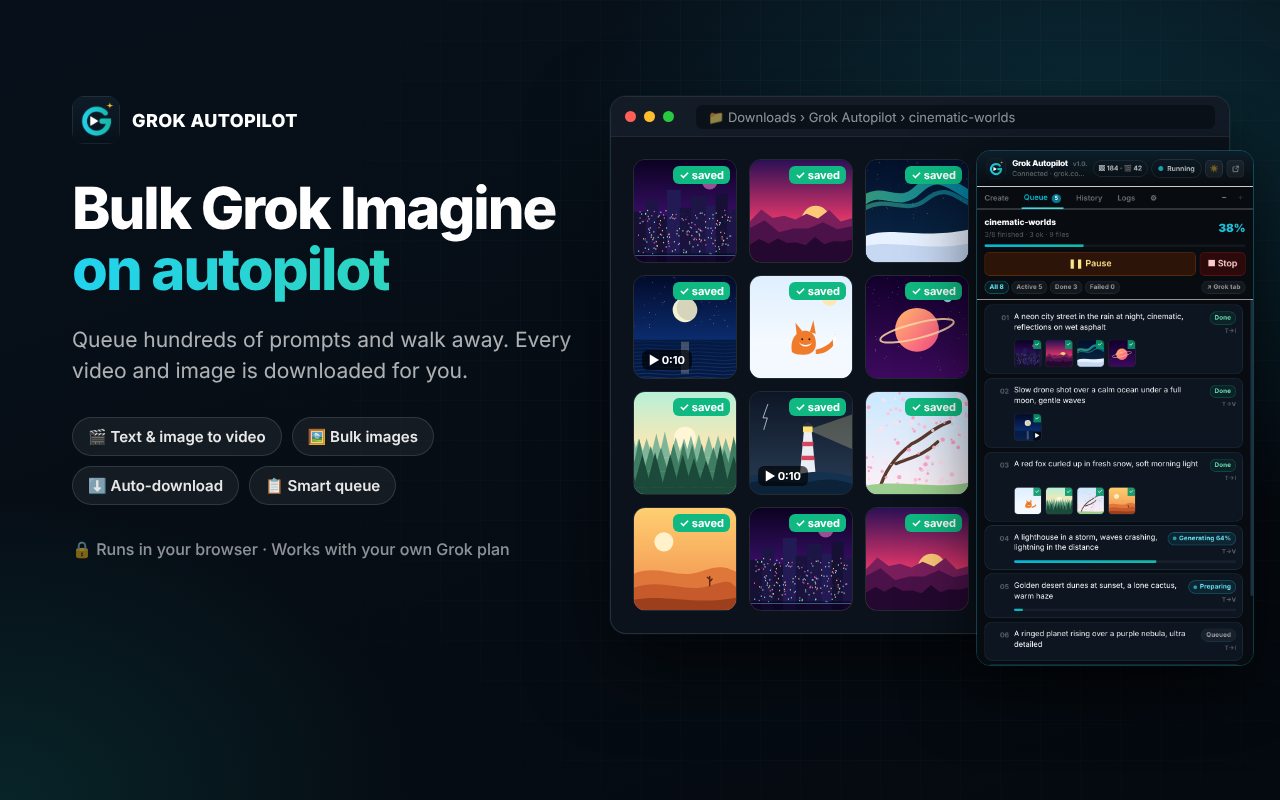
Bulk Grok Imagine video and image generation, with auto-download.
Paste a list of prompts, pick a mode and press Start. Grok Autopilot types each prompt into Grok Imagine on grok.com, follows every generation live and downloads each result with a clean file name, sorted by project.
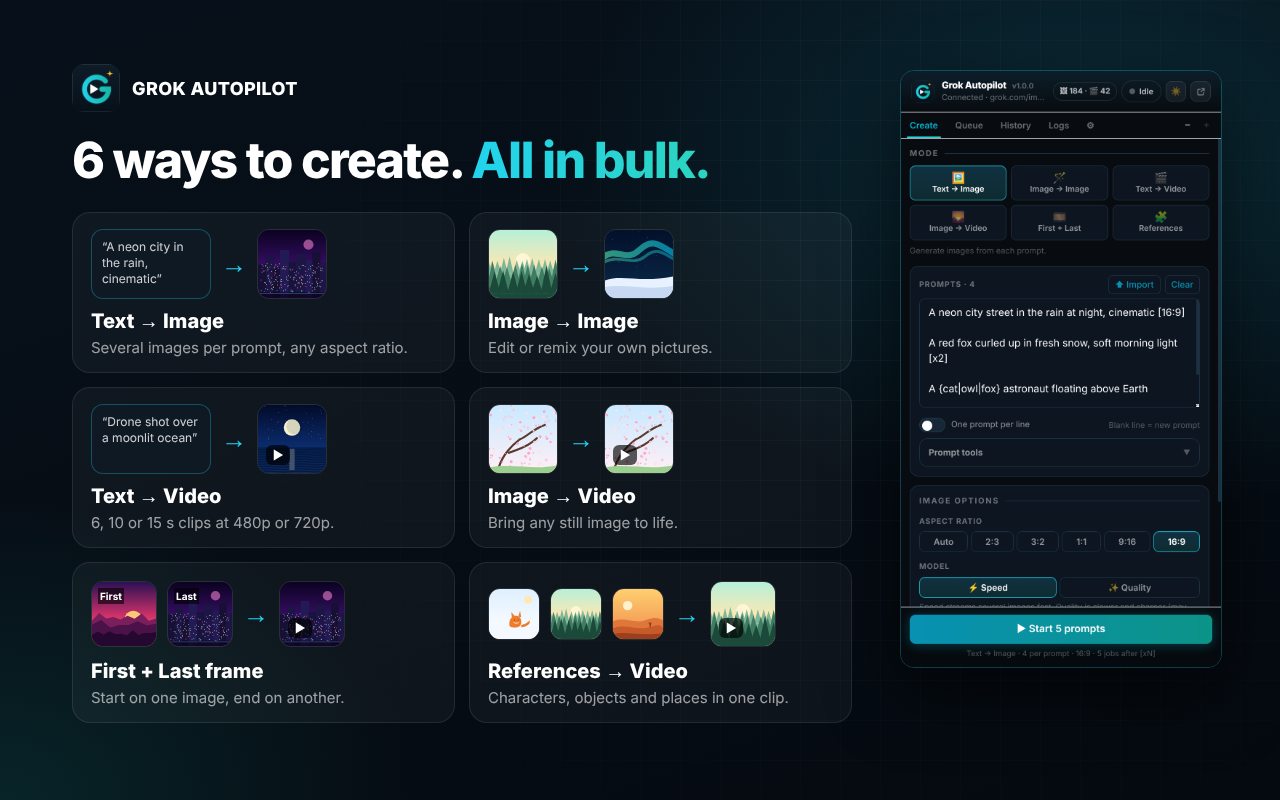
Modes
Several images per prompt, in Speed or Quality mode.
Edit or remix your own pictures with a prompt.
6, 10 or 15 second clips at 480p or 720p, with or without sound.
Animate a still image used as the first frame.
A video that starts on one image and ends on another.
Build a clip from the characters, objects and places you upload.
A closer look
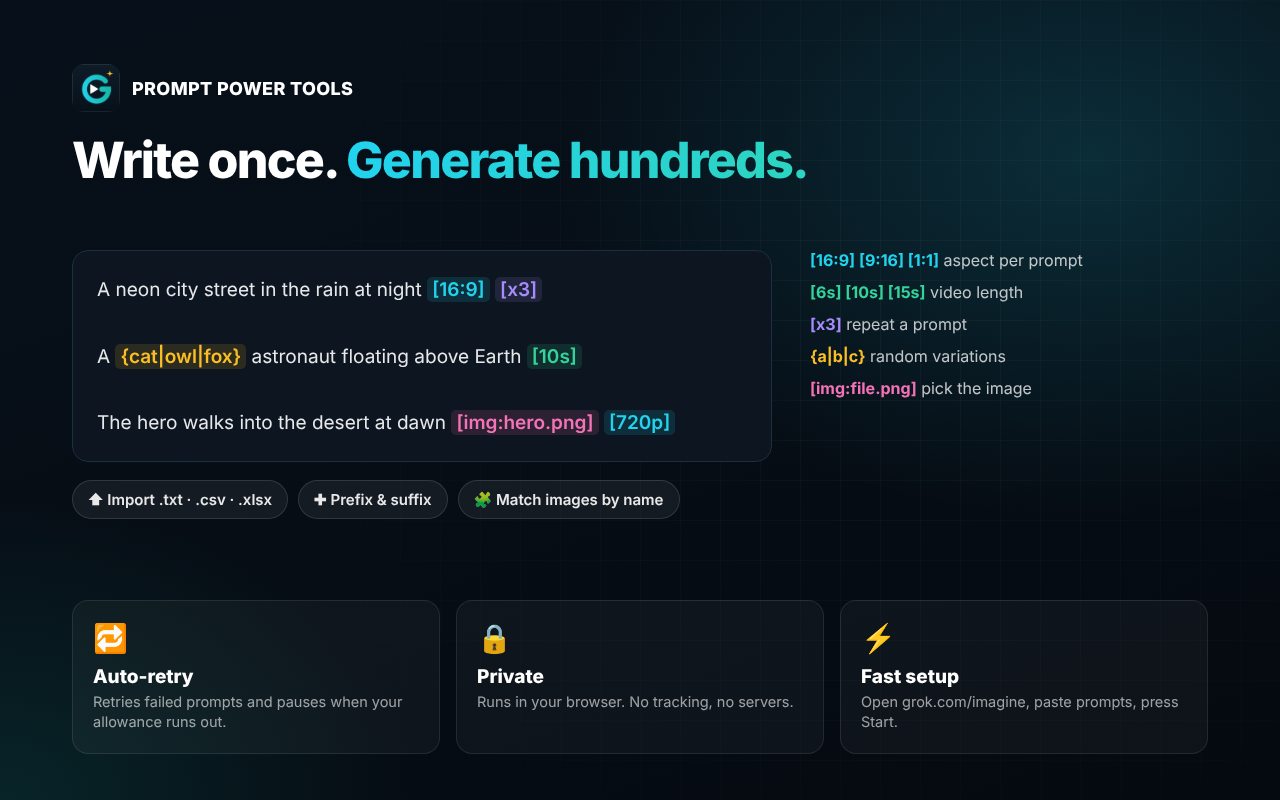
Automation
Paste prompts separated by a blank line, or import .txt, .csv or .xlsx. Add the same style text before or after every prompt.
Write settings inline: [16:9] [9:16] [1:1] [10s] [720p] [noaudio] [x3], and {red|blue|gold} for random variations.
Drag, drop and reorder images, then use them in order, for every prompt, or matched to prompts by file name.
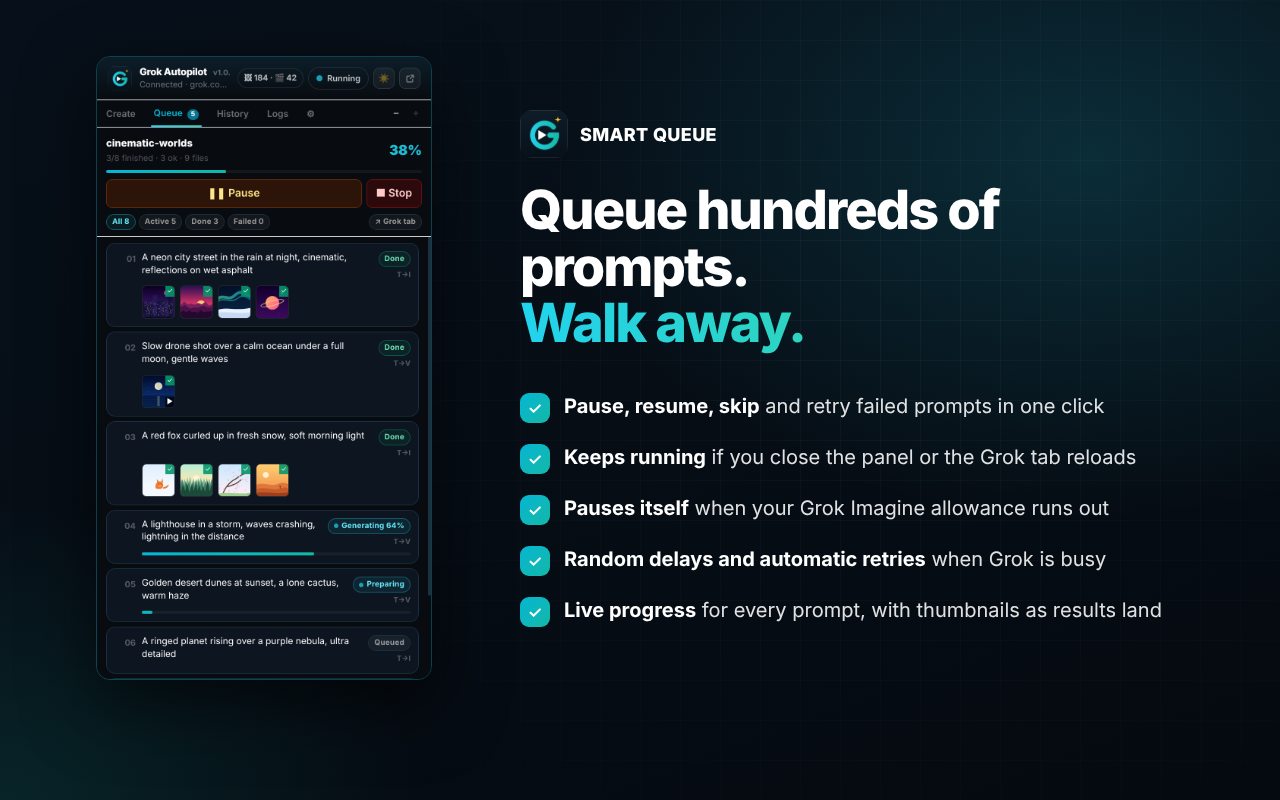
Full control of the run. The queue survives the panel closing, the Grok tab reloading and Chrome restarting the background worker.
Reads your Grok Imagine allowance and pauses with a clear message when it runs out, instead of failing every prompt.
Random waits between prompts, automatic retries, and slows down when Grok is rate-limiting.
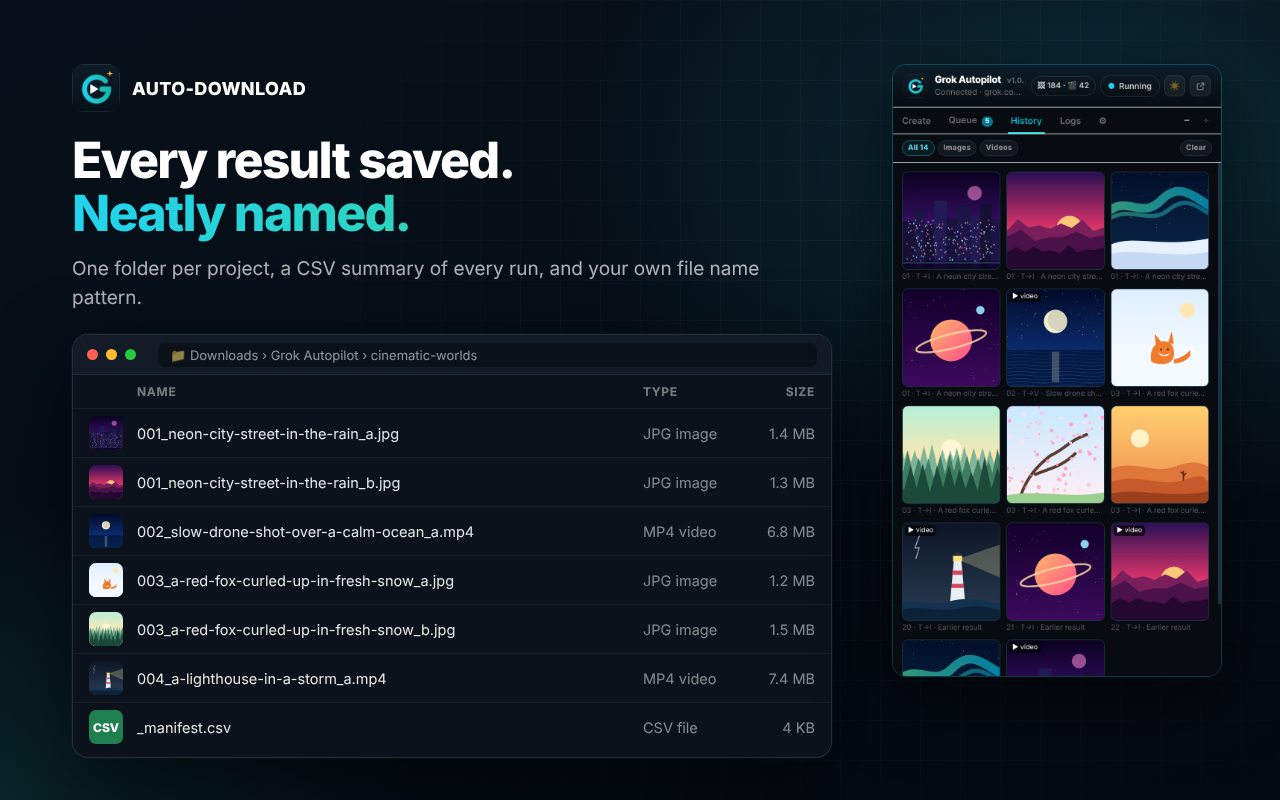
Files like 001_neon-city-at-night_a.mp4 in Downloads/Grok Autopilot/<project>, with an optional prompt .txt and CSV summary.
Open or re-download any result from History, copy logs for bug reports, and run a one-click self-test.
Get started
Open grok.com/imagine and sign in with a plan that includes Imagine.
Click the Grok Autopilot icon to open the side panel.
Choose a mode, paste your prompts (a blank line between each) and add images if the mode needs them.
Press Start. Every result downloads automatically into your project folder.
FAQ
Yes. There is no paid tier. A Buy Me a Coffee button is there if you want to support development.
Yes. Image and video generation needs a Grok plan that includes Imagine, such as SuperGrok. Grok Autopilot adds no limits of its own, but your plan’s limits still apply.
Yes. The queue keeps going. Keep the grok.com tab open, and for long runs give it its own window.
No. It works through the normal grok.com page, exactly as you would by hand.
Grok Autopilot runs entirely in your browser, only on Grok Imagine. No accounts, no analytics, no tracking.
If it saves you time, a coffee keeps it that way and funds the next extension.
More from BeyondMaddy

Bulk VEO video and Nano Banana image generation for Google Flow.

Bulk AI video, image and music generation for Google Vids.

Bulk Meta AI image and video generation, with auto-download.